

Hi everyone, I have recently been working on a very heartwarming project, the "Time & Companion Pen" WeChat Mini Program.
I want to help elders easily record the stories and reflections of their lives, so that this precious memory can cross time and be treasured forever by future generations.
One of the core parts of this app is speech-to-text (ASR). After all, we can't expect the elderly to type long passages fluently. If they could, they would probably write their own biographies.
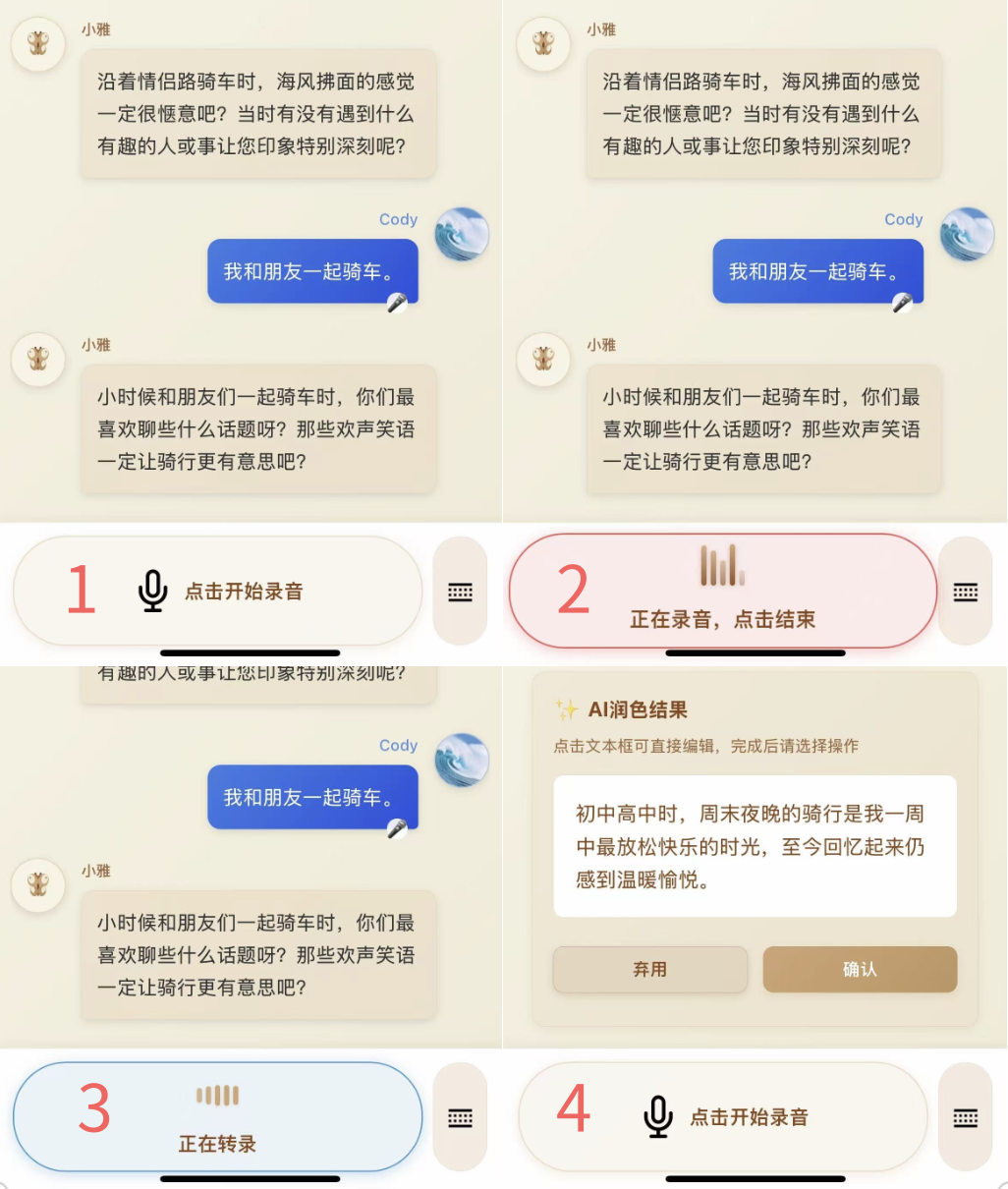
For a coding "beginner" like me, integrating a speech recognition API on my own sounded quite complex. But fortunately, with the help of Tencent's AI coding assistant Codebuddy and Tencent Cloud Development's MCP feature Cloudbase AI Toolkit, I completed this core feature in less than an hour.
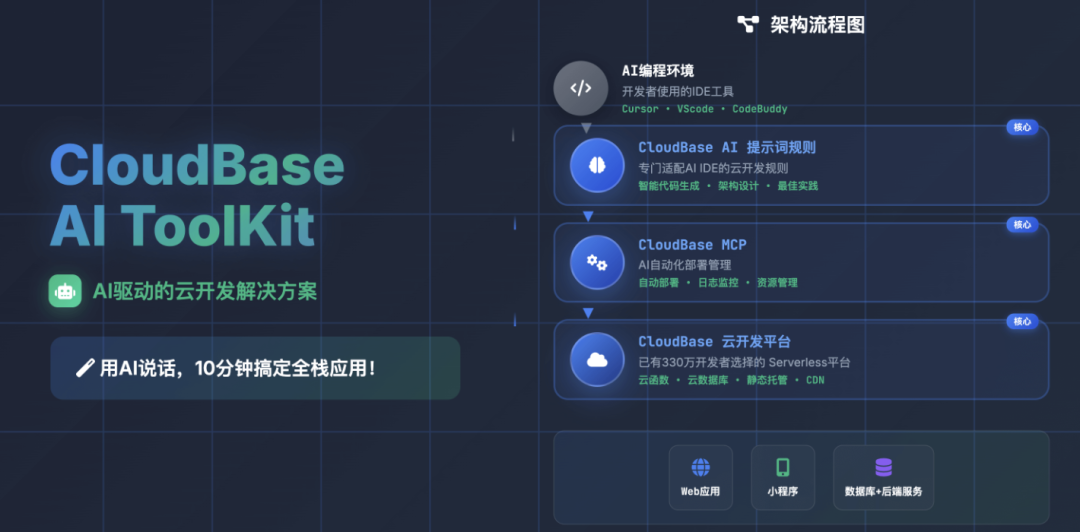
Below, I will walk through my entire workflow, hoping to offer some inspiration to friends who are also on the same journey.
Step 1: Tech Selection — finding the ASR service that "clicks"
The first step was to find the most suitable speech recognition (ASR) service for the project. With the two hard requirements of strong dialect recognition and fast response, I looked closely at three providers: ByteDance, iFlytek, and Tencent.
-
iFlytek : a veteran expert in speech technology. But to be honest, its website and docs feel dated, its product line is complex, and the documentation guidance isn't particularly clear. I gave up on it fairly quickly.
-
ByteDance : following customer support guidance, I tried the speech recognition on the Doubao platform. The dialect recognition was genuinely good and fast — a strong contender.
-
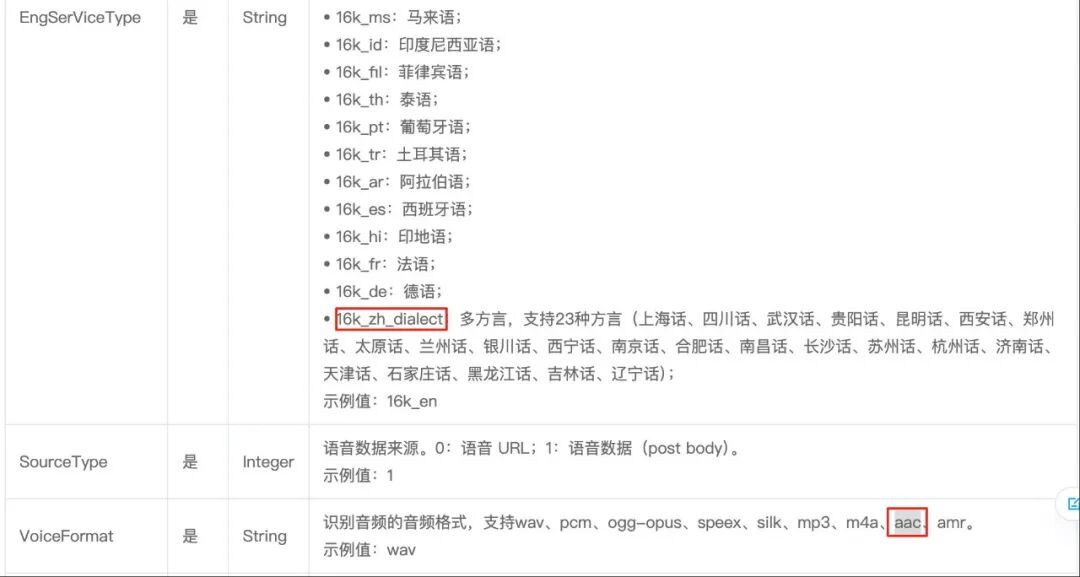
Tencent Cloud : product categories are very clean and clear. Based on my scenario, I directly picked the "one-sentence recognition" service and specified the
16k_zh_dialectmodel, which supports 23 dialects — fully meeting my needs.
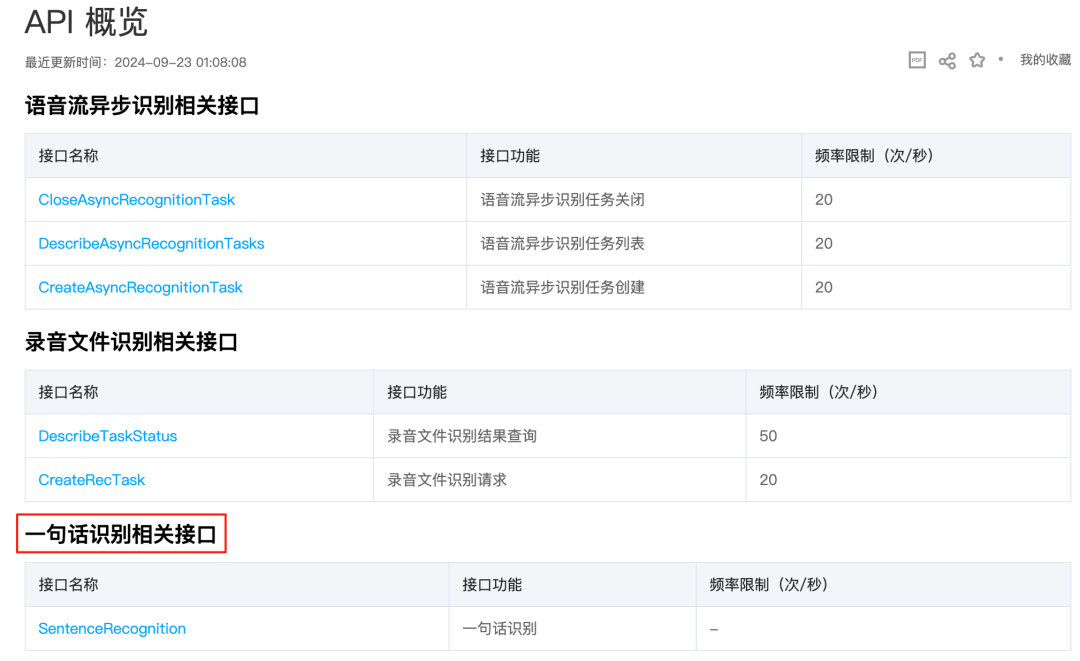
I was torn between ByteDance and Tencent, but one sentence in Tencent's API docs immediately settled it for me:
"It is recommended to use Tencent Cloud COS to store audio, generate a URL, and submit the request. This way, the audio is downloaded over the internal network, greatly reducing overall request latency; it also incurs no external traffic or download fees, saving on cost."
That sentence was the key. The backend of my entire mini program is built on Tencent Cloud's Cloudbase, so the audio files naturally live on Tencent Cloud's object storage (COS). This means choosing Tencent Cloud ASR not only improves speed but also saves cost.
Step 2: Pair-programming with AI to crack the API
Once the provider was chosen, it was time to roll up our sleeves and (let the AI) write the code.
Since my tech stack was all on Tencent Cloud, using Tencent's own Codebuddy as the AI coding assistant was clearly the most efficient option. It deeply integrates Cloudbase's MCP capabilities and has a deeper understanding of its own products' docs and APIs.
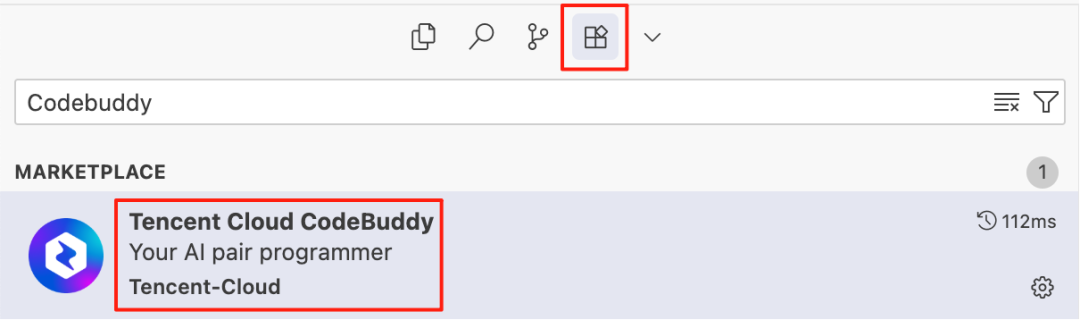
Configuring CodeBuddy is as simple as searching for it in the IDE's plugin marketplace and clicking install.
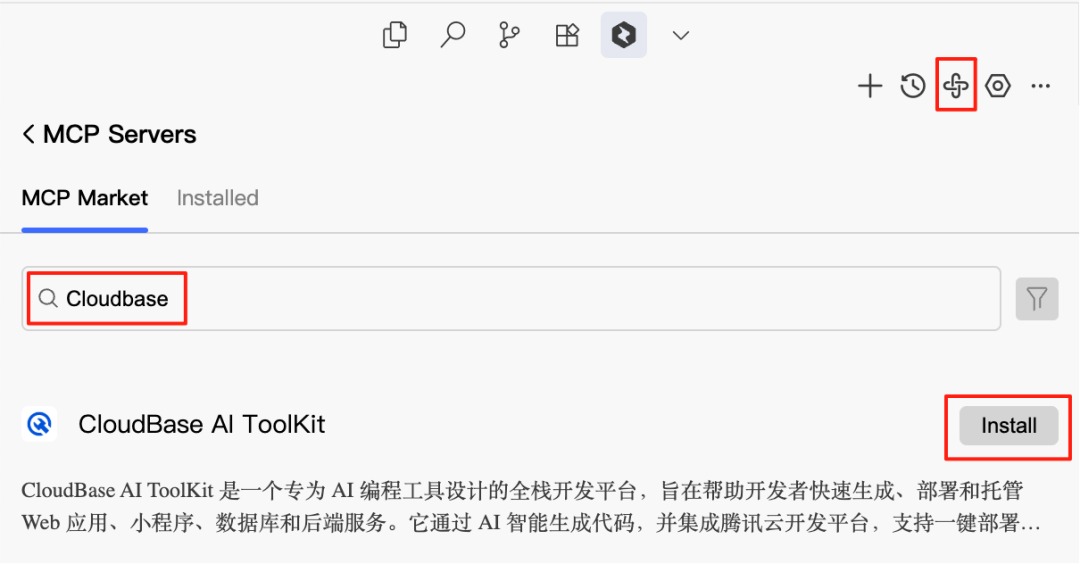
After installing CodeBuddy, I also configured Cloudbase AI Toolkit. Just click the MCP Market in the top-right corner, search for Cloudbase, and hit the install button on the first option — done.
Of course, you can also choose to modify the config file directly; it's essentially the same. Just remember not to mistype anything.

The Prompt given to Codebuddy needs to be very specific — this is the key to helping the AI understand the requirements accurately — and I clearly told it where to look for reference information:
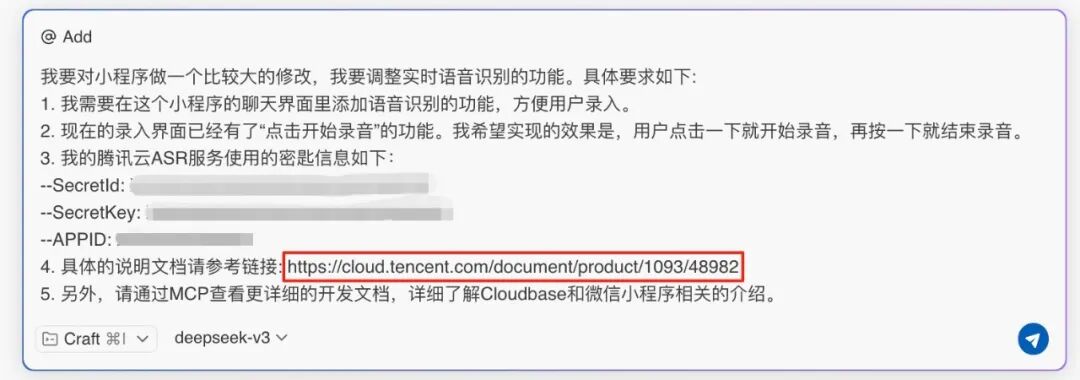
Providing the API doc link is crucial. Even for niche APIs not covered in the LLM's training data, as long as their official docs are clear enough and the sample code is rich enough, you can simply throw the doc link at the LLM. It will read and understand it like a human, then debug on its own — with a fairly high success rate.
What followed was a back-and-forth "wrestling match" of debugging with the AI. Code rarely comes out perfect on the first pass, so I copied every error reported by the "WeChat Mini Program DevTools" directly to Codebuddy, and it would analyze and propose fixes. Repeating this cycle resolved most issues.
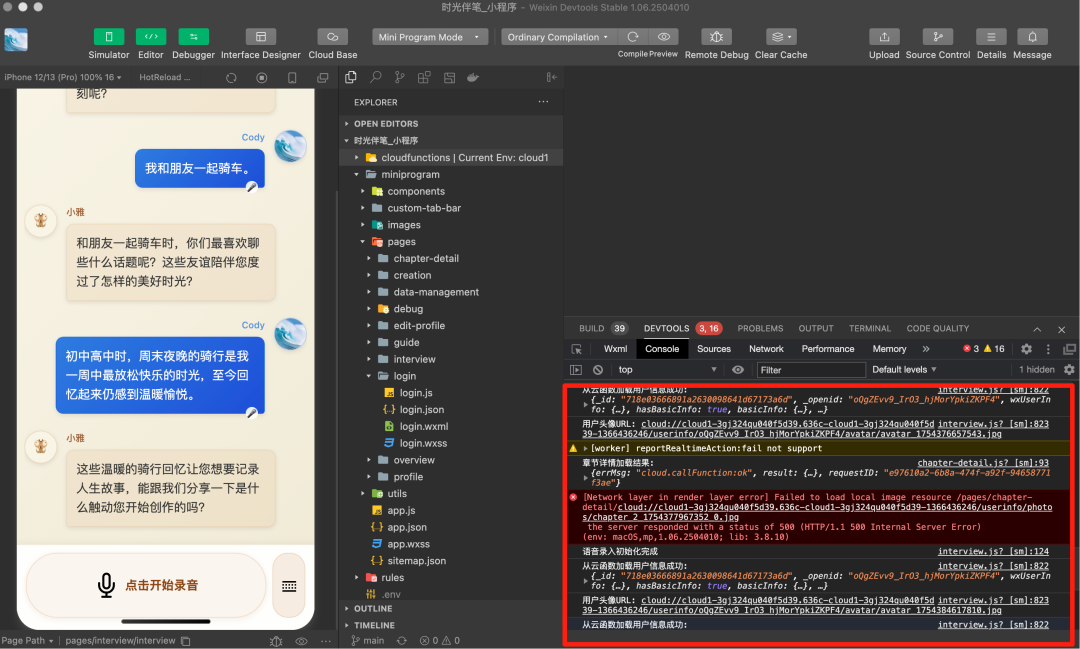
Let me also share a pitfall I hit: although Tencent Cloud ASR's API doc lists many supported audio formats (VoiceFormat), in the WeChat Mini Program environment it seems only the aac format works smoothly. This issue cost me quite a bit of time, so I hope everyone can avoid it.
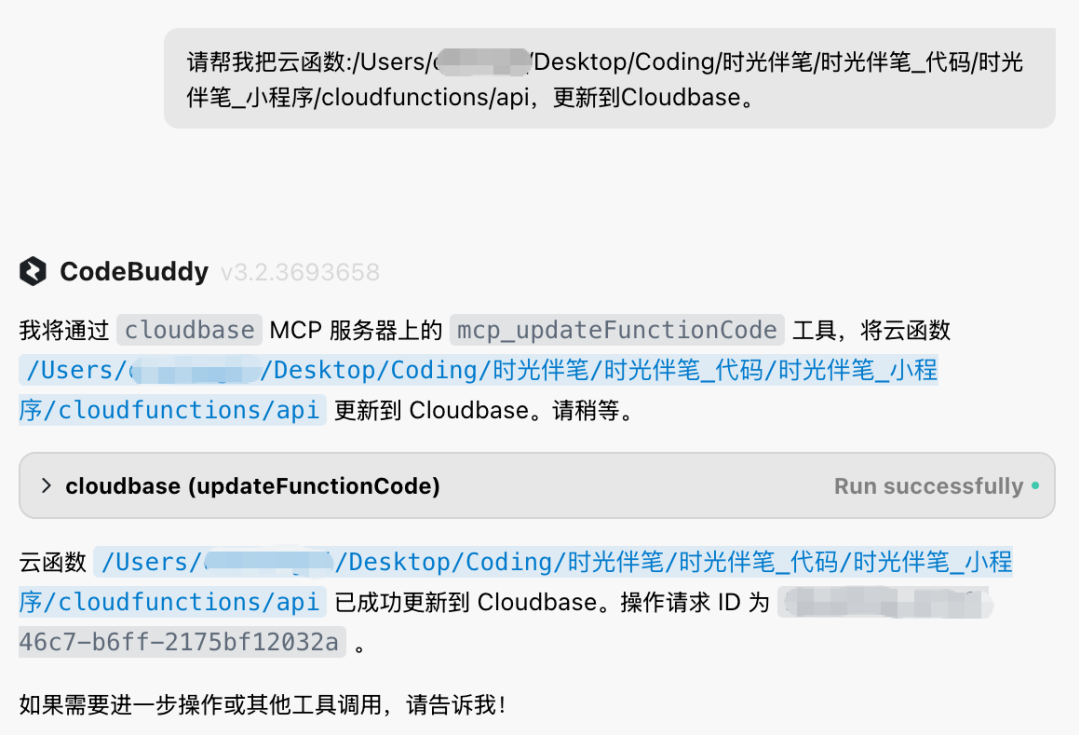
Once the code was debugged, Cloudbase AI Toolkit's MCP capabilities let you deploy the new feature to cloud functions in one click — very convenient.
Step 3: Using AI to polish the details and improve UX
After the core features were done, the final step was polishing the details, such as adding animation effects to make the interaction livelier.
While giving the AI design requirements, I discovered a trick. Don't just say "add me an animation," and even describing the specific effect isn't enough — because language falls flat in front of dynamic effects, and you'll likely get something jarring.
The key is to add this at the end: please design in an optimized way that matches the mini program's overall design style.
With that sentence added, the new options from the AI almost always coexist harmoniously with the existing UI, saving a huge amount of fine-tuning effort.
Next Steps
Right now, the core features of "Time & Companion Pen" are basically complete, but there are still many details to keep polishing and optimizing. As my next step, I plan to wait until Cloudbase AI Toolkit officially supports deploying to Cloud Run, and then add a real-time speech transcription feature that relies on WebSocket to the mini program.
Afterwards, I'll also compile more hands-on experience and details from development and share them again.
If you found this useful, do follow me
Related Links
-
Tencent Hackathon: https://marketing.csdn.net/p/6c228e821a73bb9d3b8a75acf4999ff0?pId=3020
-
Cloudbase AI Toolkit: https://github.com/TencentCloudBase/CloudBase-AI-ToolKit
-
CodyBuddy IDE: https://www.codebuddy.ai/
-
Tencent ASR: https://cloud.tencent.com/product/asr
#Cloudbase #Codebuddy #atmosphere programming #hackathon #AI era