

Preface
CloudBase AI CLI is a command-line tool that integrates multiple mainstream AI coding tools. Without complex plugins, it supports batch processing with lower resource consumption and higher coding efficiency!
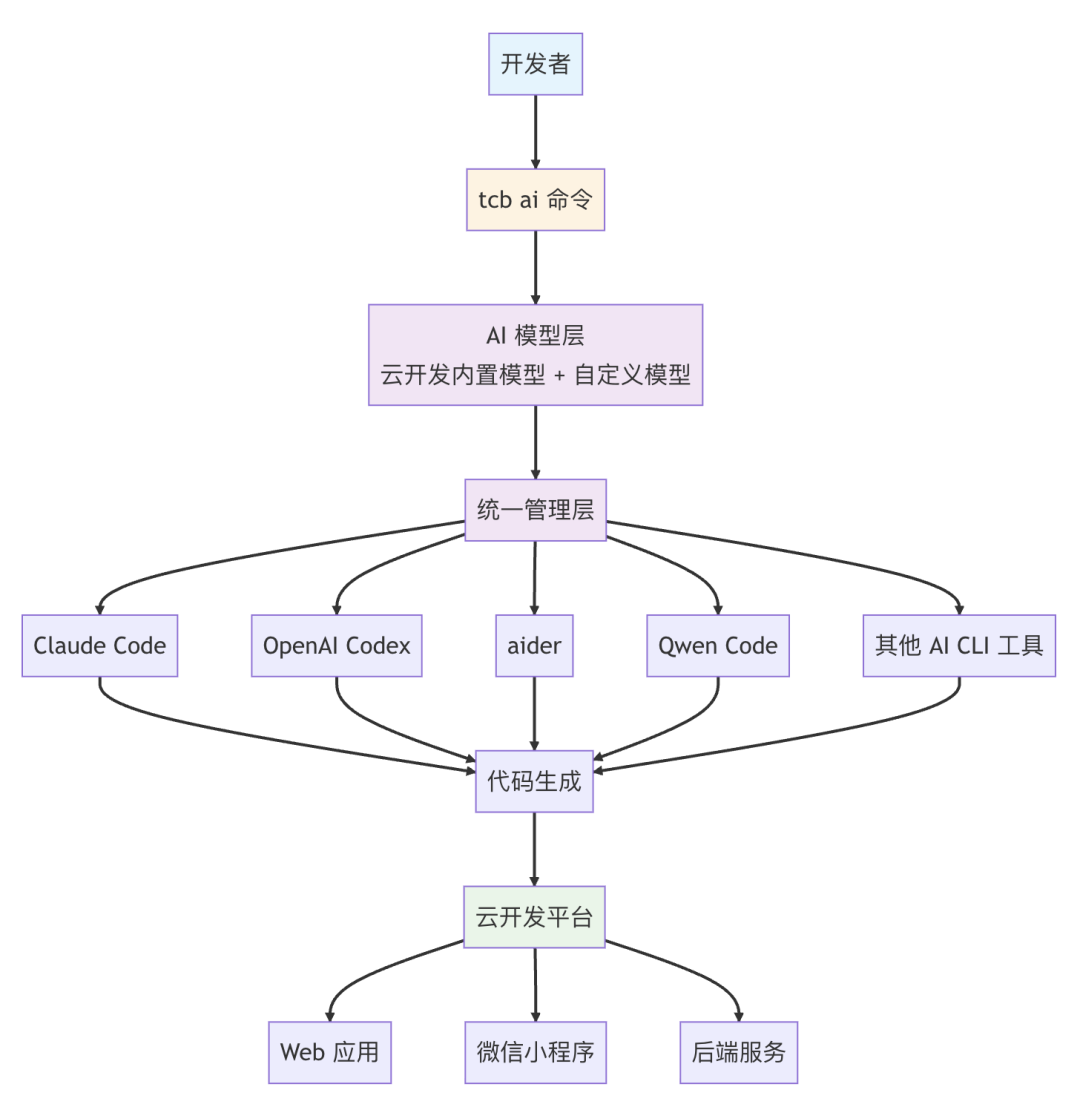
From "newbie gear" to "legendary equipment," deploying CloudBase AI CLI upgrades your Vibe Coding environment. CloudBase AI CLI can not only be invoked by scripts, automation pipelines, and CI/CD systems, but also integrates with the Tencent Cloud Development Platform, supporting one-click deployment of generated code to the cloud — dramatically boosting development efficiency. 
CloudBase AI CLI Quick Start Guide
 Unlike common AI IDE interfaces, a CLI values simplicity above all and can be harder to get started with. Don't worry! We provide detailed technical documentation and best-practice guides (including detailed commands and steps), supporting a complete learning path from beginner to expert. CloudBase AI CLI itself is completely free, and new users can also enjoy generous free experience quotas for cloud development! 📣 Step 1: Install in a Flash (Recommended) Open your terminal and enter the following command to install globally in seconds
    # Mac/Linux/Windows WSL
    curl https://static.cloudbase.net/cli/install/install.sh -fsS | bash

    # Windows PowerShell
    irm https://static.cloudbase.net/cli/install/install.ps1 | iex
(Alternative) Install via npm
npm install -g @cloudbase/cli
✔️Verify the installation; if successful, the version number will be printed
tcb --version
AI CLI connects to CloudBase, so you don't have to worry about backend deployment and operations — your application goes live instantly. Creating a new environment also grants 1 million tokens of experience quota, with new users enjoying the first 6 months of the trial period for free. Existing users can also join the incentive program to claim discounts.
📣 Step 2: Create a Project and Launch the AI Assistant Create a new project in your code editor, then enter the command in your terminal:
tcb ai
Follow the prompts to configure the AI model and development template, then describe your development requirements in natural language, and AI CLI will begin creating and writing code files. 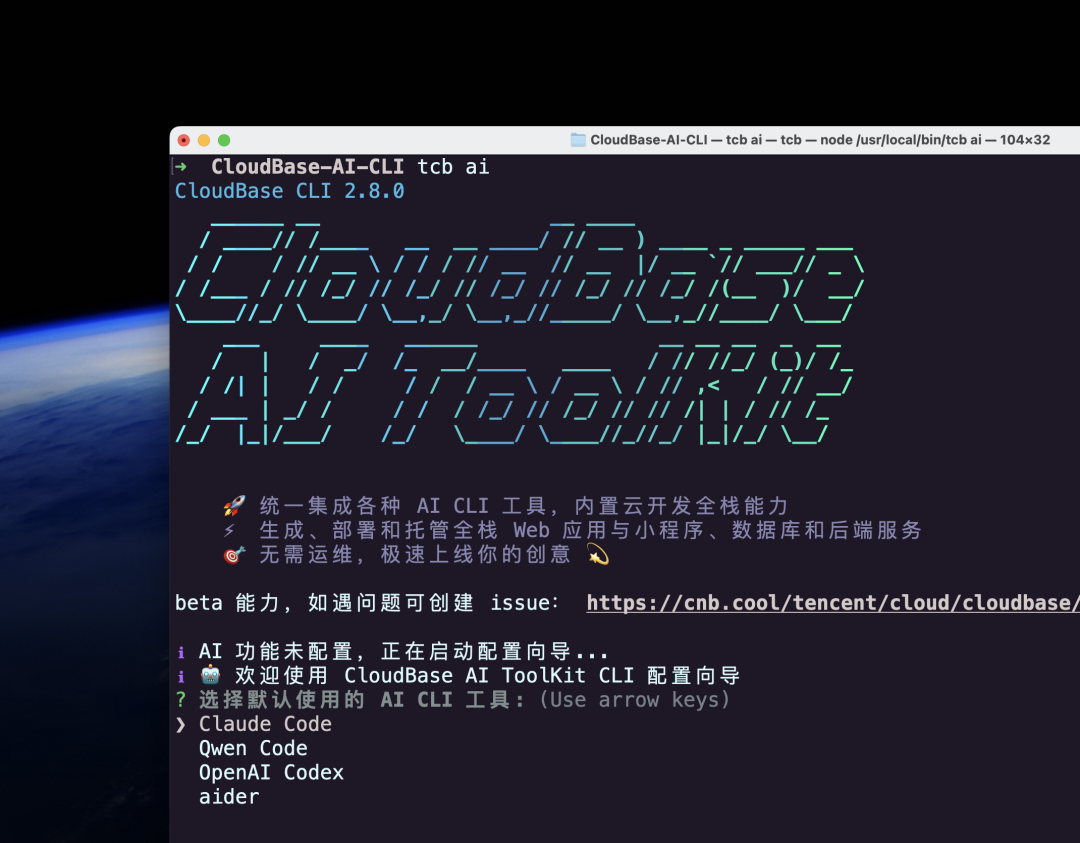 🤖You can also ask AI CLI to:
-
Design the database structure
-
Generate and deploy cloud functions
-
Read logs to debug
-
Invoke the built-in CloudBase AI ToolKit for one-click application deployment
-
... ...

Collection of Practical Tutorials

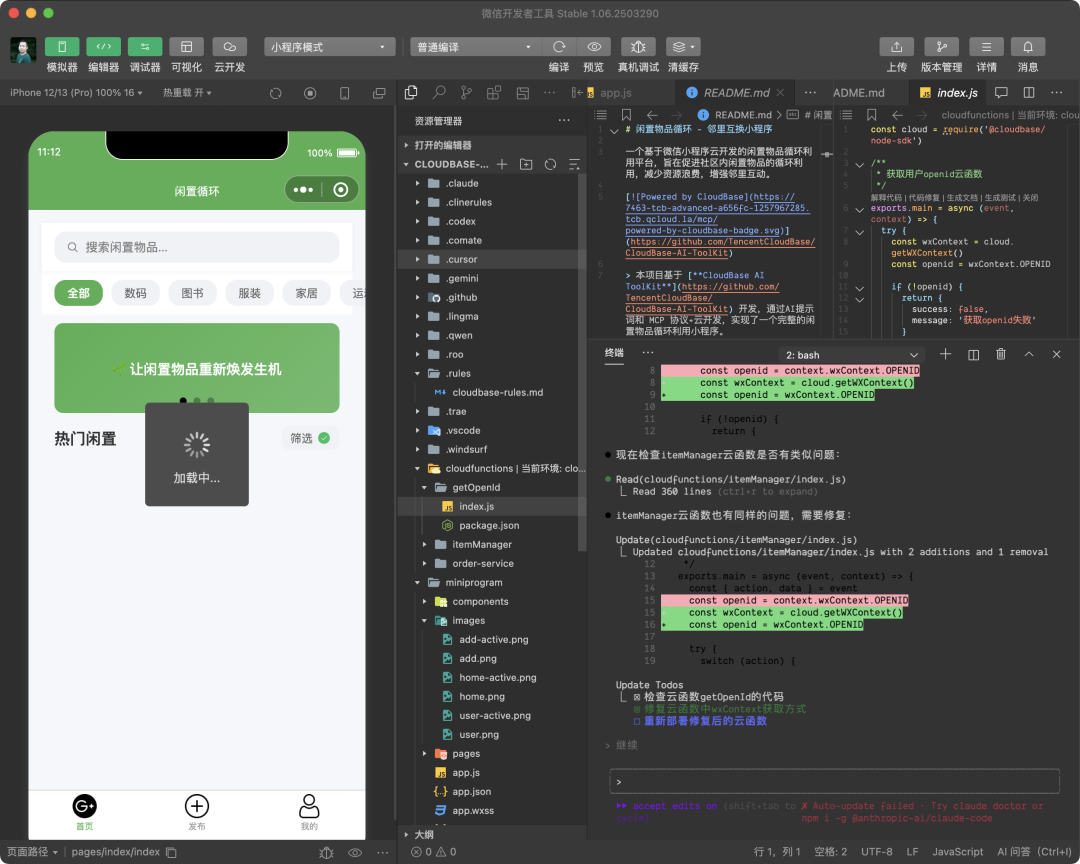
The "Neighborhood Second-Hand Item Recycling" Mini Program
-
Choose AI tools and model: Claude Code + Kimi K2
-
Choose the project template: Mini Program Cloud Development Template
-
Describe the project requirements
Please help me create a WeChat Mini Program example for neighborhood second-hand item recycling, including the following features:
- Home page: item browsing, search, category filtering, sorting
- Item details: image carousel, detailed information, contact info, favorites
- Item publishing: multi-image upload, information entry, location selection
- User center: personal info, my listings, my favorites
Tech stack: WeChat Mini Program + Cloud Development (Cloud Functions, Cloud Database, Cloud Storage) Design style: clean and modern, green/eco-friendly theme
-
AI-generated results:
The AI generates the complete front-end code of the example project, including: the home page (index), item details page (detail), publishing page (publish), and user center (profile). The AI designs the database structure of the example project. The AI automatically generates the cloud function code of the example project:
-
After opening the project in WeChat DevTools, enter "tcb ai" to continue debugging the code and finally publish the app.
Run it in the project directory
tcb ai -- "Open the current project with WeChat DevTools"
Official practical tutorial "Developing a Neighborhood Second-Hand Item Recycling Mini Program with CloudBase AI CLI" — click the link below for details https://docs.cloudbase.net/practices/ai-cli-mini-program
The AI Mini Program "Time & Pen"
Driven by AI, turn a complex idea into reality in no time. Click the link below for details:
From 0 to 1: How Did CloudBase AI CLI Help Me Develop an AI Mini Program?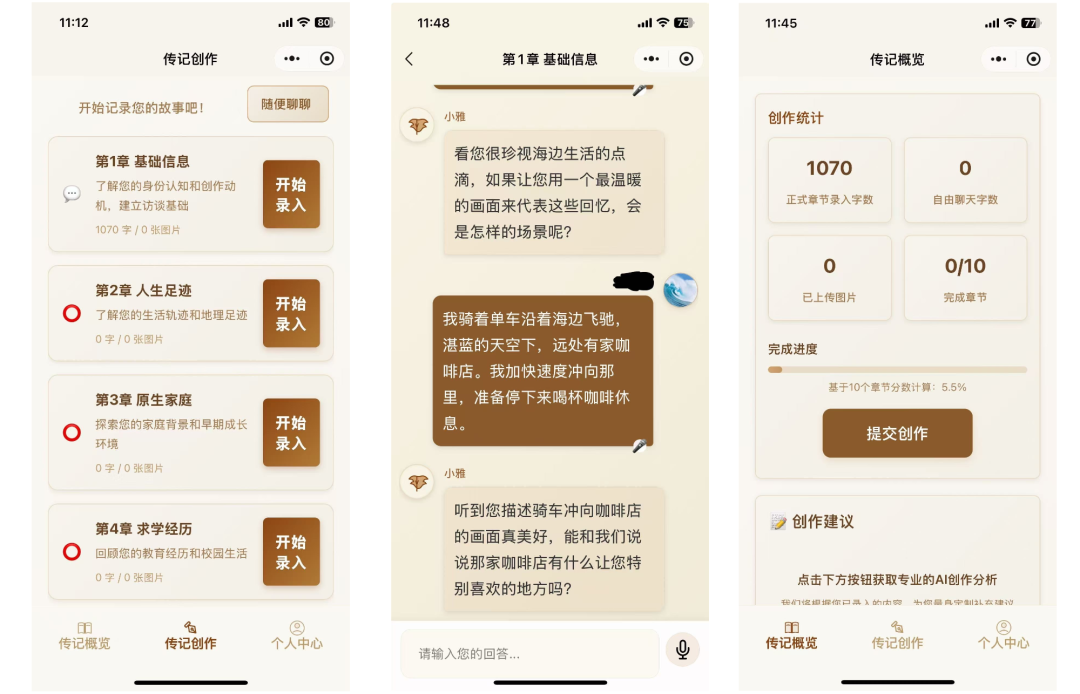
The "Decision Paralysis Helper" Mini Program
Enter the task requirement to generate the front end; when developing the back end, CloudBase AI CLI automatically creates a Cloud Development database collection, so the mini program can sync to the cloud database as soon as it goes live. Click the link below for details: Tencent Strikes! CloudBase AI CLI Launched in a Big Way, Integrating 5 Major AI CLIs Including Claude Code! From Development to Deployment! (Tutorial Included)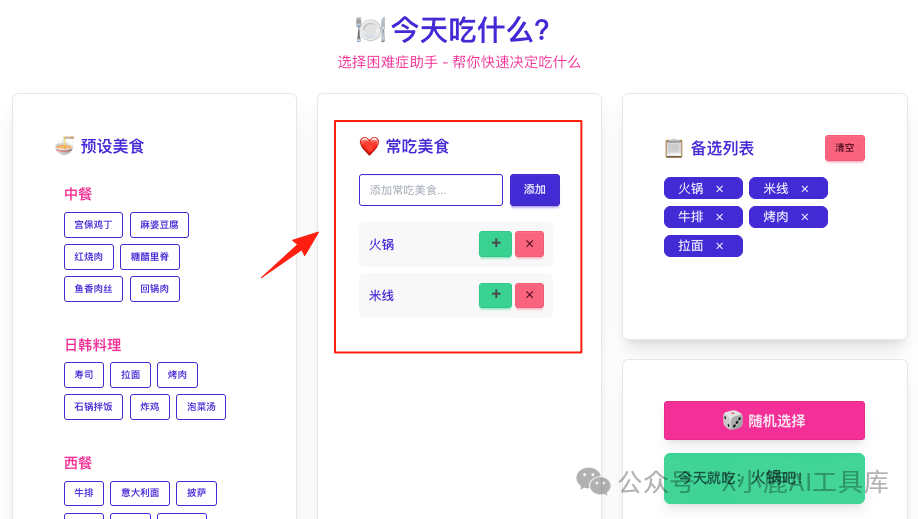
The "Link Collection" Mini Program
Overall, the cloud development experience has clear advantages over local development — no need to worry about the local environment, and you can control cloud resources locally. WeChat Mini Program development is silky smooth and works with Claude Code. Tencent Releases a Killer AI Development Tool with One-Click Claude Code (First-Hand Tutorial Included)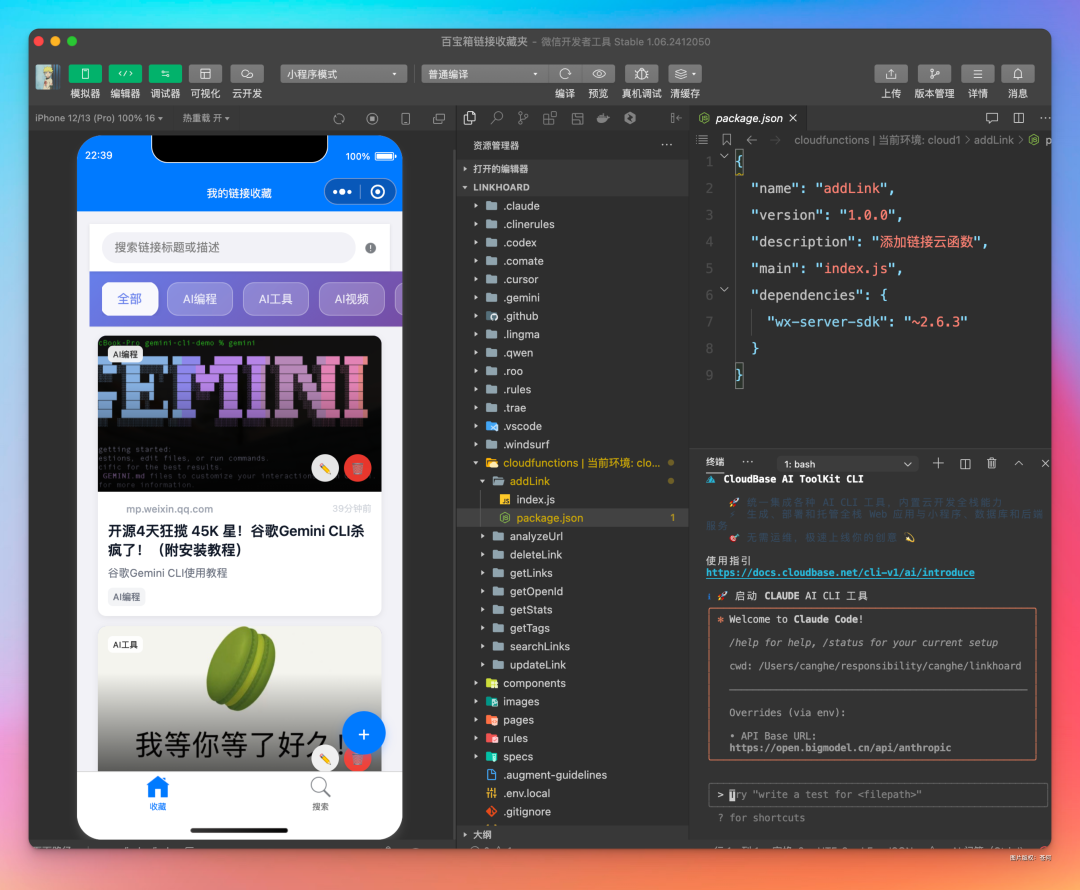

Core Capabilities and Features of CloudBase AI CLI

About "CloudBase AI CLI"
A unified command-line tool that integrates multiple mainstream AI coding tools, supporting both built-in models and custom models, so you can use AI coding assistants such as Claude Code, OpenAI Codex, aider, and Qwen Code through a single simple command.
 **
**
Core Advantages
Unified management: manage multiple AI coding CLI tools with one command, no need to switch between multiple tools
Multi-model support: supports built-in and custom large models, including Kimi K2, Zhipu GLM-4.5, and more
One-click development and deployment: built-in CloudBase AI ToolKit automates the entire process from code generation to cloud deployment
Available everywhere: no environment constraints — runs in WeChat DevTools, VS Code, GitHub Actions, and more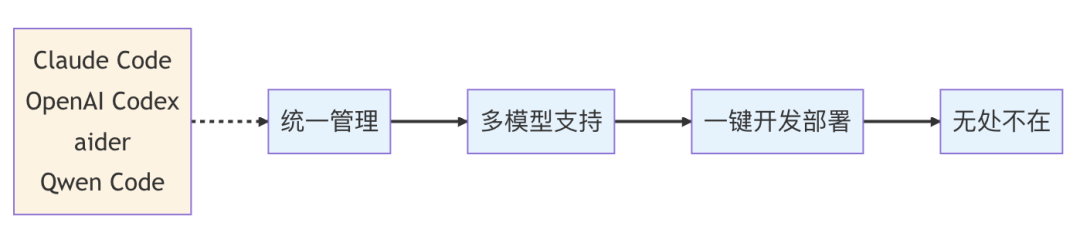
Why Choose CLI
CLI turns AI coding capability into coding infrastructure that can be invoked by scripts, automation pipelines, and CI/CD systems. It avoids switching between multiple GUI tools and integrates easily into existing development workflows.
It also supports cloud-native development, containerized deployment, and continuous integration/continuous deployment (CI/CD), driving AI's evolution from "generating code" to "collaborating across the entire workflow."